
20 Questions That Expose SASE Vendor Weaknesses | Netify
The 20 SASE RFP Questions That Vendors Hate in 2025 (And Why They're Actually Really Important)
For businesses creating a SASE RFP in 2025 (and beyond) there’s often a common issue - vendors use the same buzzwords and marketing phrases to suggest they can offer every capability just as or if not better than the next solution. Whilst there’s no doubt that some are better in particular areas, no solution is outright the number one SASE offering across every facet of network and security capabilities.
In this article we’ll go over some key questions that you should be including in your SASE RFP in order to dispel the marketing jargon.
| Category | Critical Issue | What Vendors Don't Want You to Know |
|---|---|---|
| Network Architecture | Single-Pass Inspection | Bolted-together acquisitions mean traffic gets decrypted and re-encrypted multiple times, adding latency to every session |
| Encryption Handling | TLS 1.3 Inspection | Many platforms simply bypass TLS 1.3 traffic they can't decrypt, leaving 70% of your web traffic uninspected |
| Performance | Real-World Latency | "Sub-10ms" claims are measured in lab conditions whilst actual inspection with all security functions running can be considerably higher |
| Infrastructure | Private Backbone Claims | Most vendors rent PoPs and rely on the public internet between them, not genuinely owned fibre and networking equipment |
| BYOD Security | Clientless Feature Parity | Clientless modes often only offer basic web filtering whilst agent-based users get full DLP and advanced threat protection |
| Data Exfiltration | GenAI DLP | Traditional DLP wasn't built for users pasting sensitive data into ChatGPT, Copilot or Claude for analysis |
New to Netify? The questions come directly from Netify's SASE RFP Builder, which wraps these same questions in a guided platform with AI assistance to make RFP creation an easy process that can be filled out in minutes.
Why These Questions Work
With every vendor offering seemingly marketing the likes of "single-pass architecture", a vast number of Points of Presence (PoPs) and zero-trust capabilities for every device you could imagine, comparing vendors is becoming increasingly more difficult.
And yet, despite all these claims, independent testing and real-world deployments in 2024-2025 keep exposing recurring gaps, for example:
- TLS 1.3 traffic is being bypassed rather than inspected,
- private backbones rely on multiple tier-1 provider interconnects rather than fully owned infrastructure
- clientless security functions continue to lag behind agent-based capabilities.
The following 20 questions have been designed by our team at Netify to help you with your SASE RFP in order to mitigate the aforementioned issues - they force vendors to provide evidence rather than just marketing claims and can expose architectural limitations that would otherwise only become obvious after deployment.
Architecture & Performance Questions
1. Single-Pass Proof
Why You Must Ask This: Single-pass architecture means your traffic gets decrypted once, inspected by all security functions simultaneously, then re-encrypted and sent on its way. However, some platforms don't actually work like this, especially where vendors have bolted together acquisitions or separate products rather than building a unified platform, resulting in added latency on every session, higher CPU consumption and more points where traffic could be intercepted or lost.
The Vendor Trap: Most SASE vendors claim single-pass architecture because it's the most efficient approach, but if they've bolted together acquisitions, traffic actually gets bounced between separate security engines. This means your traffic gets decrypted and re-encrypted multiple times, which matters because attackers now deploy multi-layered encrypted payloads (such as password-protected archives delivered over HTTPS) where even decrypted outer layers still hide malicious content.
Good vs. Bad Answer:
- Good: Provides packet capture files showing TLS decryption, IPS, sandboxing and re-encryption occurring within a single engine pass with timestamps demonstrating sub-15ms total processing time
- Bad: "Our platform uses industry-leading single-pass architecture for optimal performance" without providing packet captures or measurable evidence
2. TLS 1.3 Full Inspection
Why You Must Ask This: TLS 1.3 is the current encryption standard and represents almost 70% of encrypted web traffic in 2025. The reasons for its uptake (including zero round-trip time, ECH and session resumption) are all features designed to improve performance and privacy, but they're also designed specifically to prevent inspection.
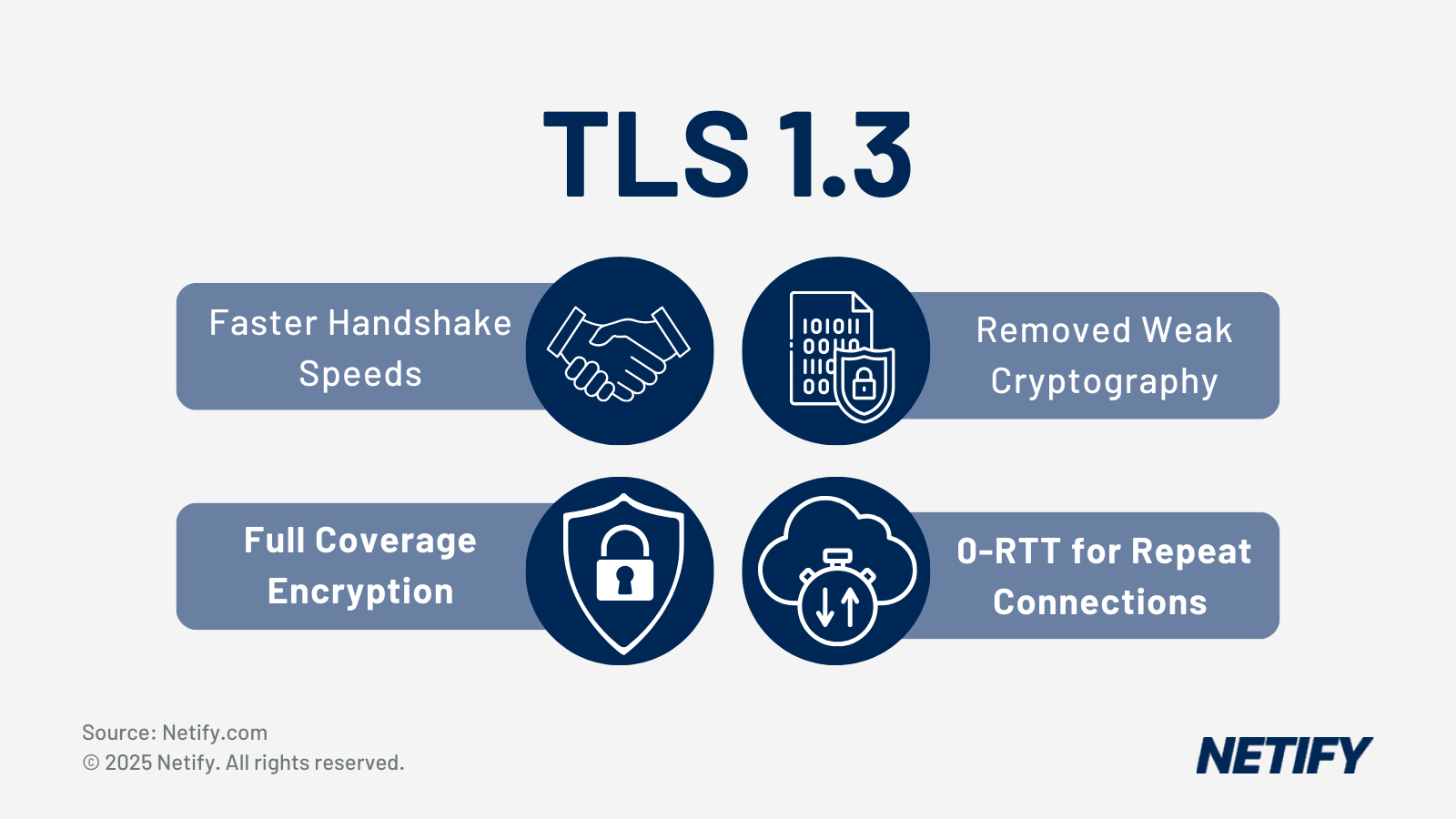
The Vendor Trap: Some vendors choose to simply bypass TLS 1.3 sessions they can't decrypt, which means that traffic never gets inspected for malware, data leaks or policy violations, whilst others can decrypt TLS 1.3 but only by adding massive amounts of latency. Either way, you're left blind to threats or dealing with performance issues.
Good vs. Bad Answer:
- Good: Confirms inline engine decrypts and inspects TLS 1.3 0-RTT, ECH and session resumption at line rate with specific added latency figures (for example, 4-6ms average)
- Bad: "We fully support TLS 1.3 compliance and industry-standard encryption protocols" without mentioning inspection capabilities or latency impact
3. Worst-Case Latency Table
Why You Must Ask This: Claims such as "sub-10ms latency" are usually measured in lab conditions, whereas real-world latency (with full SSL inspection, DLP, sandboxing and IPS running simultaneously) can be much higher. The 95th percentile requirement is important because it shows typical real-world performance, not best-case scenarios.
The Vendor Trap: Vendors market impressive latency figures based on optimal conditions with minimal security functions enabled. When you deploy with all security features active in production, actual latency can be several times higher than advertised, leading to user complaints and performance issues.
Good vs. Bad Answer:
- Good: Provides detailed table showing 95th percentile latency for 64B, 512B and 1518B packets with all security functions enabled (SSL inspection, DLP, sandboxing, IPS)
- Bad: "Our platform delivers sub-10ms latency for most traffic" without specifying 95th percentile, packet sizes or whether all security functions were enabled
4. Private Backbone Reality Check
Why You Must Ask This: The "private global backbone" is one of SASE's most common marketing claims - suggesting your traffic travels across the vendor's own network infrastructure rather than the public internet, giving you predictable latency, protection from congestion and better overall performance. However, most vendors rent PoPs in co-location facilities and rely on the public internet between them, which means your traffic gets the same treatment as everyone else's.
The Vendor Trap: Some vendors own fibre and networking equipment between major cities, whilst others simply have good peering arrangements with tier-1 ISPs and call it a "private backbone." The traceroute evidence should show consistent hop patterns owned or controlled by the vendor, not a mix of transit providers. Should they refuse to provide customer traceroutes for confidentiality reasons, ask the vendor to provide their own internal test routes between the specified cities.
Good vs. Bad Answer:
- Good: States specific percentage of owned infrastructure (e.g., "We own 85% of inter-PoP connectivity including dark fibre between London, Frankfurt, Paris and Amsterdam") with traceroute evidence
- Bad: "We operate a fully redundant global private backbone" without disclosing ownership percentage or providing verifiable evidence
5. Clientless Feature Parity
Why You Must Ask This: Bring Your Own Device (BYOD) and contractor access pose potential threats to your business as you can't always implement security capabilities directly on devices your business doesn't own or control. Most SASE vendors offer a clientless mode, however sometimes these only offer basic web filtering whilst agent-based users get full DLP, advanced threat protection and granular application control.
The Vendor Trap: This leads to two issues - firstly you have security gaps where unmanaged devices can leak data or access resources they shouldn't, and secondly, you end up maintaining parallel policy sets (one for agent-based users and another for clientless users) which doubles your operational overhead and creates inconsistencies. Pay particular attention to DLP, as many vendors can only do basic pattern matching without an agent, missing context such as which application is being used, user behaviour patterns or endpoint security posture.
Good vs. Bad Answer:
- Good: Provides side-by-side comparison table showing feature availability for SWG, CASB, DLP, RBI, ZTNA and IPS in both agent-based and clientless modes with specific capabilities listed
- Bad: "Most security features are available in clientless mode" without providing a detailed comparison or explaining what "most" actually means
6. Forced Break-Out List
Why You Must Ask This: Vendors implement 'trusted application' bypass lists for services that break when proxied, meaning when an application is on this list, traffic goes directly to the internet without any SASE security stack inspection. Research from 2023 shows over 50% of all malware downloads came from SaaS apps.
The Vendor Trap: Microsoft Teams and Zoom are common culprits due to their real-time requirements and certificate pinning, however the list often extends to other Microsoft 365 services, Google Workspace components and various other SaaS applications. Some vendors maintain public bypass lists that you can cross-reference, whilst others configure bypasses silently. If vendors claim nothing is bypassed, test it during a proof of concept by trying Teams screen sharing and Zoom with full inspection enabled.
Good vs. Bad Answer:
- Good: Lists specific Microsoft 365 services, Google Workspace components and SaaS applications that are bypassed (such as "Teams real-time media, Zoom video traffic") and specifies which security functions are disabled for each
- Bad: "We inspect all traffic except where certificate pinning prevents it" without providing a concrete list of bypassed applications
7. True Agentless ZTNA
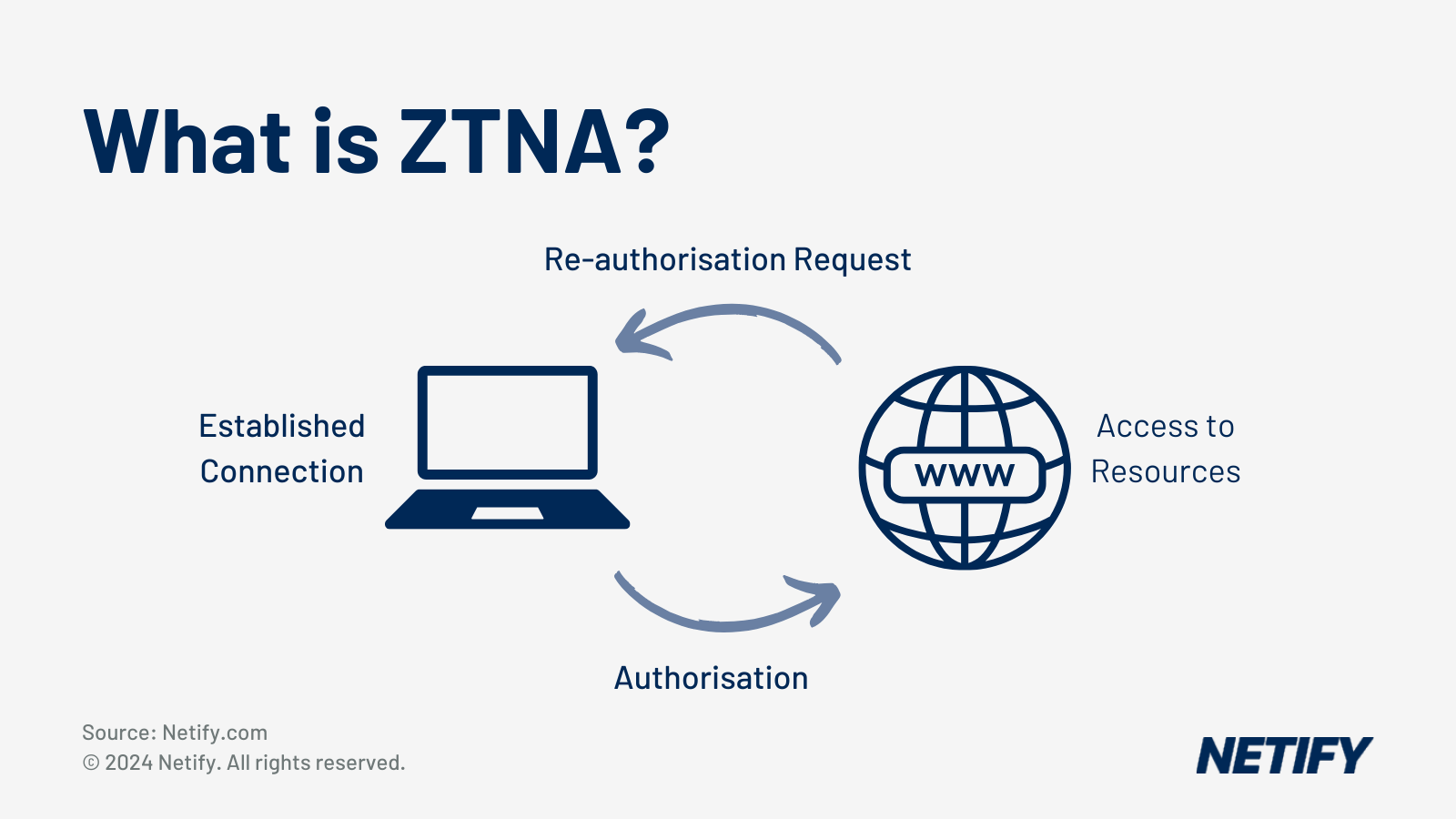
Why You Must Ask This: Zero Trust Network Access is meant to replace VPNs by giving users application-level access without broad network access, however most 'agentless ZTNA' solutions aren't actually agentless as they require either a browser plugin, a temporary agent that gets downloaded and installed or inbound firewall rules on your servers. True agentless access means a contractor can open a browser on their personal laptop, authenticate and reach an internal application whilst your servers remain completely dark to the internet with no inbound ports open.
The Vendor Trap: Many vendors market "agentless" solutions that still require browser plugins, Java applets or ActiveX controls. When reviewing responses, insist on a live demonstration and ask what happens if the user is on a Chromebook or iPad where plugins can't be installed.
Good vs. Bad Answer:
- Good: Demonstrates application-level access using only a standard browser with no plugins or downloads, working identically on Chromebook, iPad and locked-down devices
- Bad: "Our agentless solution requires only a lightweight browser extension" (which means it's not actually agentless)
8. Sandbox SLA
Why You Must Ask This: Sandboxing creates unavoidable latency because files must be uploaded to an isolated environment, executed and observed for malicious behaviour. Some vendors block the file transfer until the sandbox returns a verdict (safe but potentially frustrating), whilst others allow the file through immediately and notify you later if it's malicious (convenient but risky).
The Vendor Trap: The password-protected archive question often exposes limitations as many sandboxes simply can't handle them and will either block all encrypted archives or, alternatively, allow them through uninspected. When evaluating responses, look for specific time commitments with SLAs, not 'typically under X seconds' statements.
Good vs. Bad Answer:
- Good: Contractual SLA stating specific verdict time for 100MB password-protected ZIP files during peak load (such as "95% of files receive verdict within 45 seconds") and whether files are blocked or allowed through
- Bad: "Files are typically sandboxed in under 30 seconds" without contractual commitment or addressing how password-protected archives are handled
9. PoP Failover Reality
Why You Must Ask This: PoP failures happen for various reasons including DDoS attacks, datacentre power issues, physical line issues and software bugs. Understanding how your vendor handles these situations in practice (not just in theory) is essential for maintaining business continuity.
The Vendor Trap: Vendors often provide impressive uptime figures and theoretical failover capabilities, but actual incident logs reveal whether they maintain distributed session state or whether everything is localised per PoP. Re-authentication delays indicate the latter, which can disrupt user workflows during failover events.
Good vs. Bad Answer:
- Good: Provides actual incident logs from recent PoP failures showing automated failover time, session state preservation and whether users had to re-authenticate
- Bad: "Our platform features automatic failover with 99.99% uptime" without providing real incident logs or evidence of how failover actually performed
10. GenAI / Copilot DLP
Why You Must Ask This: Generative AI tools are becoming the primary data exfiltration vector in enterprises. Research from LayerX Security's Browser Security Report in 2025 shows that 77% of AI users copy and paste data into their chatbot queries, with 21% of daily pastes including sensitive information. Users aren't deliberately stealing data – they're pasting customer lists into ChatGPT to analyse trends, sensitive code into GitHub Copilot to get suggestions or financial data into Claude to help with analysis.
The Vendor Trap: Traditional DLP wasn't built for this scenario because it focuses on preventing downloads or blocking specific file types, whereas AI tool usage happens through web browsers using standard HTTPS. When evaluating responses, insist on a live demonstration with PII or payment card numbers using test data and check whether it works across different AI tools or just one vendor they've specifically partnered with.
Good vs. Bad Answer:
- Good: Live demonstration showing PII being redacted in real-time when pasted into ChatGPT, GitHub Copilot and Microsoft 365 Copilot, working across all major AI tools
- Bad: "We support DLP for generative AI applications" without demonstrating actual redaction or only working with one specific AI tool they've partnered with
11. ICMP Tunnelling Inspection
Why You Must Ask This: ICMP tools (such as Loki, ptunnel and ICMPSec) are leveraged to exfiltrate data out of your network whilst still appearing as legitimate network diagnostics. Whilst this isn't a new threat, it's seeing renewed use due to some cloud proxies and SASE platforms ignoring ICMP traffic entirely.
The Vendor Trap: Security research platforms specifically flag ICMP tunnelling as a technique that bypasses perimeter security controls. When evaluating responses, the vendor should detect both the tunnel establishment and the actual data exfiltration happening through it, not just flag unusually high ICMP volume.
Good vs. Bad Answer:
- Good: Demonstrates detection of ICMP tunnelling using tools such as ptunnel, showing both tunnel establishment and actual data exfiltration being identified
- Bad: "We monitor ICMP traffic for anomalies" without showing detection of actual tunnelling behaviour, only flagging high ICMP volume
Infrastructure & Transparency Questions
12. Most-Favoured-Nation Clause
Why You Must Ask This: If you're an existing customer paying list price whilst the vendor is discounting heavily to win new business, you're subsidising their growth. An MFN (Most-Favoured-Nation) clause forces the vendor to give you the same pricing they offer to anyone else with comparable volume.
The Vendor Trap: Some vendors will agree but add caveats such as 'same size and industry' or 'comparable use case' that make the clause effectively meaningless. When reviewing responses, look for actual contract language, not verbal commitments or vague promises to 'remain competitive on pricing'. The clause should cover list price reductions, promotional pricing and competitor displacement deals.
Good vs. Bad Answer:
- Good: Agrees to include MFN clause in contract with specific language guaranteeing pricing parity for customers with comparable volume, covering list price reductions and promotional pricing
- Bad: "We remain committed to competitive pricing for all customers" without providing actual contract language or adding excessive caveats that make the clause meaningless
13. Full Log Export on Termination
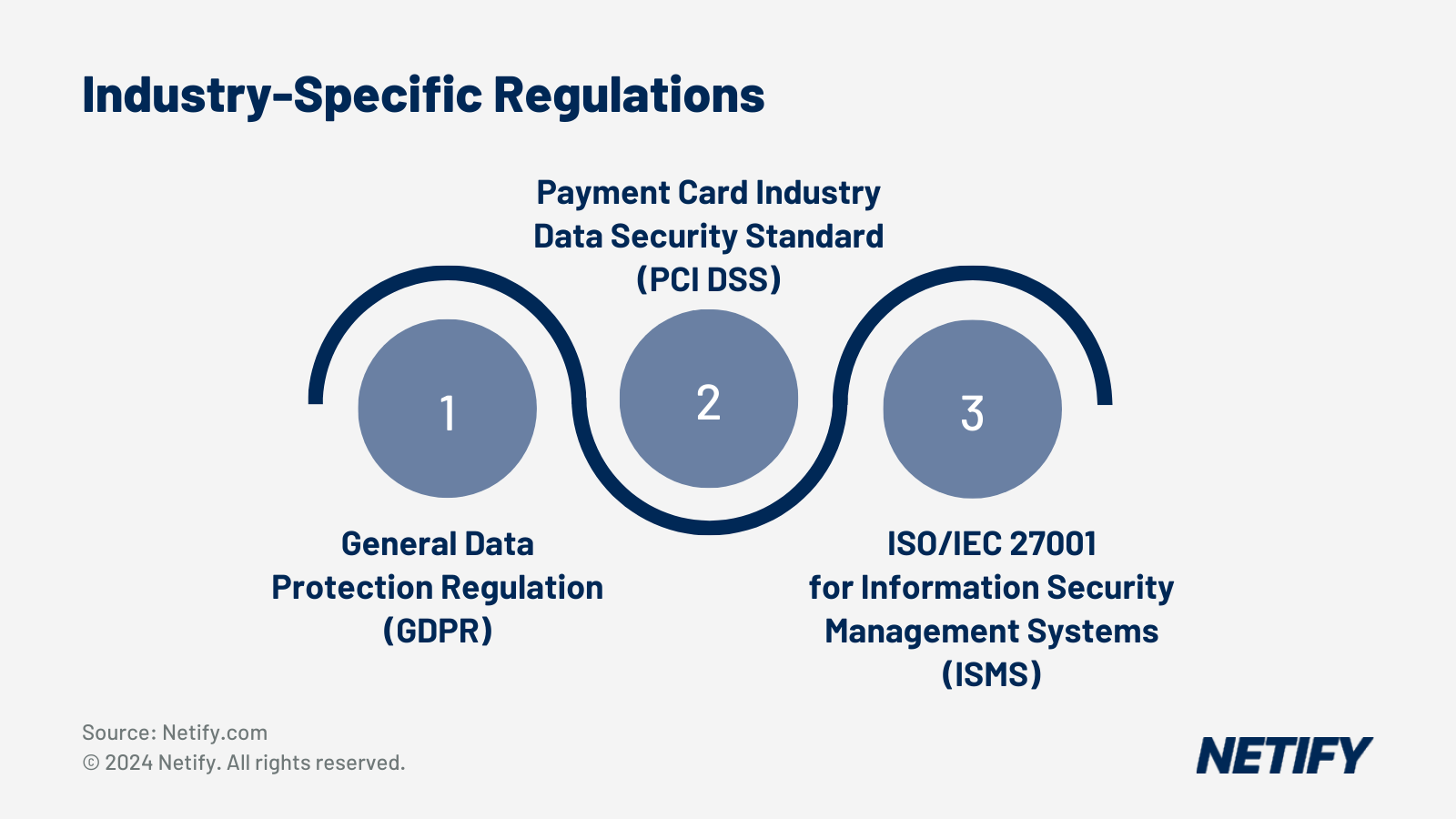
Why You Must Ask This: Vendor lock-in is often a result of data retention - when you decide to leave or switch vendors, you still need your historical logs for compliance requirements, ongoing investigations and proving due diligence to auditors. For example, security logs typically need to be retained for 12 to 24 months depending on your regulatory obligations (such as for PCI-DSS) and you can't simply lose them because you changed vendors.
The Vendor Trap: Some vendors don't provide API access for log exports, charge per-GB fees for data extraction or only support proprietary formats that require their tools to read. This creates significant friction when migrating away and can leave you without critical compliance evidence.
Good vs. Bad Answer:
- Good: Provides API documentation showing how to export 24 months of security logs with rate limits clearly specified, supporting multiple formats (JSON, CSV) with no additional export costs
- Bad: "Logs are available via our portal during your contract period" without API documentation or charging per-GB fees for exports
14. Third-Party PoP Disclosure
Why You Must Ask This: Some cloud-native SASE platforms are just virtual machines running on AWS, Azure or Google Cloud in different regions, which can create several problems. If your security policy prohibits using a specific cloud provider because of data sovereignty concerns or competitive issues, you need to know whether your SASE vendor secretly runs on that provider's infrastructure.
The Vendor Trap: Many vendors only provide city names without revealing the underlying infrastructure. When reviewing responses, look for specific facility names and physical addresses, not just city names. This transparency is essential for compliance with data sovereignty requirements and for understanding your actual infrastructure dependencies.
Good vs. Bad Answer:
- Good: Lists each PoP location with specific data centre facility name and physical address (such as "London PoP: Equinix LD5, Slough" or "Frankfurt PoP runs on AWS eu-west-2")
- Bad: Only provides city names without facility details or refuses disclosure citing security concerns
15. RBI Latency on Poor Connection
Why You Must Ask This: Remote Browser Isolation adds latency by design as instead of running the browser on your device, it runs in the vendor's datacentre. With good connections this is barely noticeable, however on poor connections (such as rural broadband or mobile data) performance significantly degrades.
The Vendor Trap: Vendors typically demonstrate RBI on high-speed connections where performance looks excellent, but users on poor connections experience significant delays. Ask whether they use H.264 streaming, WebRTC or other protocols, and whether they adapt streaming quality based on connection conditions, whilst also reviewing the video evidence.
Good vs. Bad Answer:
- Good: Provides specific click-to-paint latency figures for RBI on 100ms/10Mbps connection with video evidence showing actual browsing performance under these conditions
- Bad: "RBI performs well on all connection types" without providing latency figures for poor connections or only testing on high-speed connections
16. IPv6 Parity
Why You Must Ask This: Many SASE vendors built their platforms in an IPv4 world and treat IPv6 as an afterthought, creating security gaps when IPv6 traffic either bypasses inspection entirely (because the vendor can't process it) or gets force-tunnelled to IPv4 infrastructure, which breaks end-to-end connectivity and adds latency.
The Vendor Trap: When evaluating responses, look for explicit confirmation of feature parity across all security functions (decryption, DLP, ZTNA, IPS), not just basic routing support. If possible, test it during a proof of concept by configuring an IPv6-only client and verifying that SSL inspection, DLP policies and access controls all work identically to IPv4.
Good vs. Bad Answer:
- Good: Confirms identical security functionality for IPv6 and IPv4 across SSL inspection, DLP, ZTNA and IPS without force-tunnelling, with test results showing feature and performance parity
- Bad: "We support IPv6 routing and connectivity" whilst IPv6 traffic is force-tunnelled to IPv4 infrastructure or bypasses security functions entirely
17. Certificate-Pinning Apps
Why You Must Ask This: Certificate pinning prevents SSL inspection by design as applications validate the exact certificate they receive, not just whether it's signed by a trusted authority. This can break when your SASE vendor intercepts the connection and presents their own inspection certificate instead of the original.
The Vendor Trap: When reviewing responses, look for clear documentation of pinned-app handling, including how exceptions are managed and whether they're global (apply to all users) or per-policy (you can control them). Some vendors maintain databases of known pinned apps and let you choose whether to bypass or break each one based on your security requirements.
Good vs. Bad Answer:
- Good: Provides comprehensive list of pinned applications with current database version and allows per-policy control over whether to bypass or break each application
- Bad: "We handle certificate pinning on a case-by-case basis" without a maintained database, requiring you to discover and report each pinned app manually
Operational & Contractual Questions
18. Full SASE References
Why You Must Ask This: Full SASE is a common term used even when SSE (Security Service Edge) vendors have just bolted on an OEM SD-WAN offering (or alternatively the opposite way round), rather than building their SASE offering from the ground-up. Whilst this may not be a problem for some, this can be significant as the main value proposition of SASE is convergence (unified policy, single management interface and integrated visibility).
The Vendor Trap: If customers are actually running the vendor's security services with someone else's SD-WAN or vice versa, then you're not getting a true SASE platform. You need customer references that demonstrate unified policy, single management interface and integrated visibility across network and security functions.
Good vs. Bad Answer:
- Good: States clearly whether SASE is built from the ground up or uses OEM components with customer references actually using the full integrated platform
- Bad: "We offer a complete SASE solution" without disclosing OEM arrangements or providing references where customers use the genuinely integrated platform
19. Egress IP Stability
Why You Must Ask This: Your applications likely whitelist SASE egress IPs for access control as SaaS applications, partner extranets, cloud services and third-party APIs all need to know which IP addresses your traffic comes from so they can allow it through their firewalls. If your SASE vendor changes these IPs frequently without notice, your users suddenly lose access to business-critical applications and you're troubleshooting outages whilst waiting for the vendor to provide updated IP lists.
The Vendor Trap: When reviewing responses, look for stable IP ranges with at least 90 days notice for changes. The maximum-changes-per-year clause prevents vendors from constantly shuffling IPs as they scale infrastructure, which would otherwise create ongoing operational overhead for your team.
Good vs. Bad Answer:
- Good: Provides current egress IP ranges for each PoP with commitment to minimum 90 days advance notice before changes and contractual maximum of 2-4 IP changes per year
- Bad: "IP ranges are available in our customer portal" with no commitment on advance notice or maximum number of changes per year
20. Kill-Switch Transparency
Why You Must Ask This: Cloud vendors retain the technical ability to disable your service remotely for non-payment, terms violations or legal requirements. Whilst this is reasonable, the conditions should be explicit and notice periods contractual so you're not caught off guard.
The Vendor Trap: When reviewing responses, look for specific contractual notice periods and cure periods that give you time to either resolve the dispute or migrate to alternative infrastructure. The vendor should commit to never disabling service without notice except for genuine emergencies such as active abuse or legal orders.
Good vs. Bad Answer:
- Good: Lists specific conditions for service termination with contractual notice periods for different violation types and commits to never disabling service without notice except for active abuse or legal orders
- Bad: "We reserve the right to suspend service for violations of our terms" with vague language about "appropriate notice" and no specific timeframes or cure periods
How to Use These Questions
We’d recommend that you only include questions that genuinely matter for your specific deployment, therefore not asking vendors for a barrage of specific details that they might not have readily available - preventing the likelihood of vendors withdrawing from the process.
If you're migrating from MPLS, prioritise questions 3, 4, 9 and 19 (latency, backbone, failover, IP stability), alternatively if security is your primary driver, focus on questions 1, 2, 5, 6 and 10 (inspection architecture, clientless parity, bypass lists, GenAI DLP). Finally if you're in a regulated industry, questions 13, 14, 16 and 17 are more important (data export, infrastructure transparency, compliance).
Why Vendors Hate These Questions
These questions force specificity, which means marketing claims need to become measurable commitments and/or referenceable customers need to be named and contactable.
Most importantly, these questions create liability - once a vendor commits in writing to specific performance metrics, architectural capabilities, or support practices, you can hold them to it.

Harry holds a BSc (Hons) in Computer Science from the University of East Anglia and is ISC2 Certified in Cybersecurity (CC). He serves as a Cybersecurity Writer here at Netify, where he specialises in enterprise networking technologies. With expertise in Software-Defined Wide Area Networks (SD-WAN) and Secure Access Service Edge (SASE) architectures, Harry provides in-depth analysis of leading vendors and network solutions.
Fact-checked by: Robert Sturt - Managing Director, Netify