
What are Meraki SD WAN's limitations?
Cisco Meraki is currently the undisputed market leader when it comes to simplicity and elegance with SD-WAN deployments. The Meraki simplified cloud-based dashboard and automatic default full-mesh VPN capabilities enable extremely rapid Zero Touch Provisioning (ZTP) rollouts of an SD WAN across your enterprise, ensuring a smooth and relatively painless experience.
However, the Cisco Meraki solution is not necessarily appropriate for all situations and you must be aware of the limitations in both hardware and software that could affect your overall business decisions and associated network design.
Meraki SD-WAN Limitations at a Glance
| Limitation | Impact | Severity | Alternative Vendors That Address This |
| No CLI access | Cannot troubleshoot at command level | High | Fortinet, Cisco Catalyst SD-WAN, Versa |
| Limited routing protocols | No BGP support on MX appliances | High | Cisco Catalyst SD-WAN, Fortinet, Versa |
| Cloud-only management | Requires internet access for all management tasks, no offline fallback | Medium | Fortinet (on-prem + cloud hybrid), Versa |
| Limited QoS granularity | Basic application prioritisation only, lacks deep per-flow controls | Medium | Cisco Catalyst SD-WAN, Silver Peak (HPE Aruba) |
| No multi-tenancy for MSPs | Each customer requires a separate Meraki organisation, adding admin overhead | High | Fortinet, Versa, Cato Networks |
| Template limitations | Overriding templates on a per-site basis is not straightforward | Medium | Fortinet, Cisco Catalyst SD-WAN |
How is Meraki licensed?
The Cisco Meraki business model requires a mandatory licensing subscription for every hardware component. Organisations must purchase the hardware and maintain active licences to ensure the network remains functional. Most hardware vendors operate a subscription model, but the consequences of a lapsed licence differ with Meraki.
Traditional hardware models often allow devices to continue operating if a licence expires, though the user may be out of compliance. Meraki enforces compliance by disabling the hardware if the subscription is not maintained. The system provides a 30-day grace period, but the hardware will cease to pass traffic once this window expires.
Accounting departments must be aware of this hard enforcement to avoid unexpected network downtime. When an organisation moves to a managed SD-WAN model, the Managed Services Provider (MSP) typically handles licence renewals. This removes the administrative burden from the internal IT team.
How Meraki uses Auto VPN technology?
Meraki SD-WAN functionality is available across the MX hardware range and virtual appliances. The system relies on Auto VPN technology to automatically establish private encrypted tunnels between MX devices. This automation simplifies the creation of secure site-to-site connectivity across a distributed enterprise.
The platform is currently limited to using two active WAN uplinks simultaneously for SD-WAN traffic. A third link, such as a 4G or 5G cellular connection, can be configured in standby mode for failover. This dual-uplink constraint applies to the entire MX product line, including high-end data centre appliances.
While two uplinks are sufficient for most small branch offices, larger sites may require more diverse path options. Network designers must plan for this limitation when integrating multiple ISP connections. Future software updates could potentially lift this restriction, as the SD-WAN feature was originally added via firmware without hardware changes.
What is the throughput of Meraki SD-WAN?
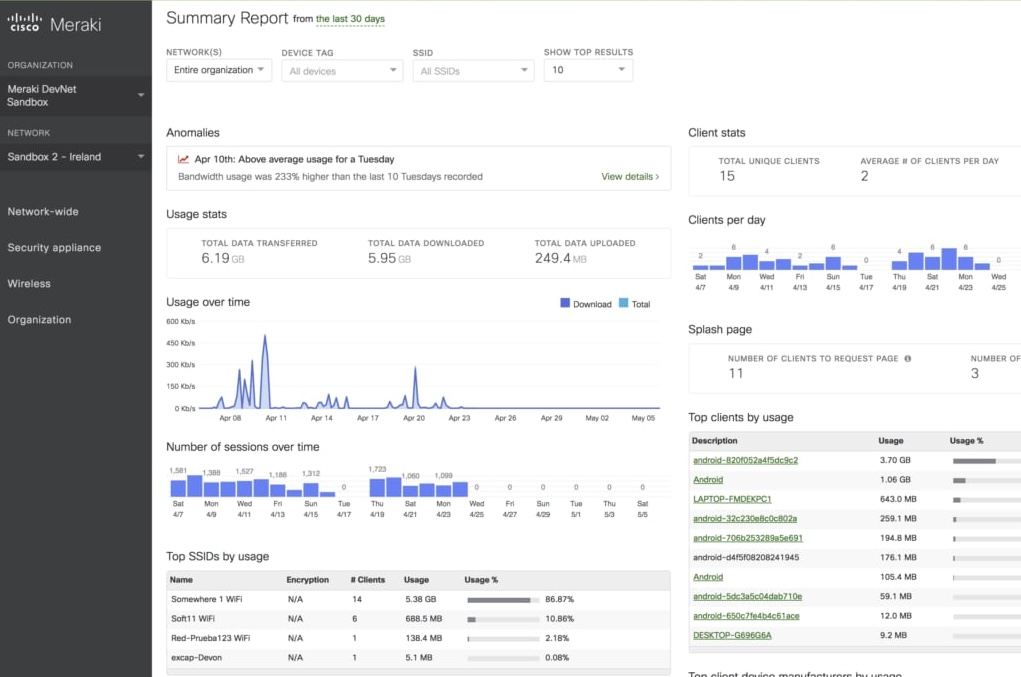
Mid-range appliances like the MX85 and MX95 offer higher performance, with VPN throughput ranging from 1 Gbps to 2 Gbps. The high-end MX250 and MX450 models are designed for large campuses or data centres, supporting 4 Gbps and 6 Gbps of VPN traffic respectively. Bandwidth requirements should be projected three to five years out to ensure the hardware meets future needs.
VPN tunnel scaling is also tied to the hardware tier. Small branch devices support between 75 and 150 concurrent tunnels, while the high-end appliances can support up to 10,000 tunnels. The default configuration uses an automatic full mesh, where every site connects to every other site.
Large networks with more than 50 sites typically require a hub-and-spoke design to manage tunnel overhead. This configuration is managed through the cloud dashboard and limits the number of active tunnels on spoke devices. In this model, traffic between spokes must transit through a hub unless specific spoke-to-spoke exceptions are created.
What are the limitations for smaller branch offices?
One perhaps surprising limitation is that none of the MX appliances designed for smaller branch offices feature an SFP port for optical fibre connectivity - it is not until you get into the higher-priced mid-range models that this option becomes available. This is surprising because, for many rural areas where branch offices may be located, broadband connectivity may not be an available option, but Direct Internet Access (DIA) delivered via fibre Ethernet may be all that you can get. Your options, in this case, would be to either upgrade to the larger MX appliance or place another device in front of the MX to convert the Ethernet handoff from fibre to copper.
What are Meraki HA limitations?
High availability (HA) in a Meraki environment is governed by specific failover timings and redundancy protocols. The platform uses a warm spare model based on the Virtual Router Redundancy Protocol (VRRP). This is an active/standby configuration where only one appliance handles traffic at any given time.
The standby appliance does not provide additional forwarding capacity during normal operation. Failover from the active unit to the standby unit can take up to 30 seconds to complete. This delay may impact real-time applications such as voice or video calls during the transition.
The Auto VPN tunnels and dynamic path selection mechanisms also have specific recovery windows. Issues with a primary path may persist for 30 to 40 seconds before the system takes corrective action. These recovery times should be evaluated against the organisation's specific uptime requirements.
Meraki SD-WAN vs Alternatives: When to Consider Switching
Meraki is an effective solution for organisations prioritising ease of use and rapid deployment across many sites. However, specific technical requirements or architectural constraints may necessitate the use of alternative SD-WAN platforms.
When you need advanced routing (BGP)
The Meraki MX platform does not support BGP for path selection over WAN uplinks, which complicates integration with complex service provider architectures. Organisations requiring full BGP support for internet peering or sophisticated route filtering often consider Fortinet Secure SD-WAN or Cisco Catalyst SD-WAN. These platforms allow for more granular control over how routes are advertised and received across the global network.
When you need on-premises management
Meraki is a cloud-native platform that requires a connection to the Meraki dashboard for configuration and management. This cloud dependency may be a blocker for high-security environments or air-gapped networks. Fortinet provides an on-premises management option through FortiManager, allowing for complete control without external cloud requirements.
When you are an MSP managing multiple clients
The Meraki dashboard lacks a native multi-tenant architecture, making it difficult for MSPs to manage multiple distinct customers from a single pane of glass. Versa Networks offers a multi-tenant platform designed specifically for service providers and large conglomerates. This architecture allows for strict logical separation between different business units or client organisations.
When HA failover speed is critical
The 30-second failover time for Meraki warm spare configurations may exceed the tolerances of mission-critical environments. Cato Networks and Fortinet offer faster failover mechanisms, including sub-second transitions and active/active clustering. These capabilities ensure that application sessions remain active even during a hardware or link failure.
Conclusion
Ultimately Cisco Meraki’s SD WAN platform covers the vast majority of enterprise use cases. The product is stable, elegant and extremely easy to operate which lowers your TCO because you do not necessarily need expert-level staff to operate and maintain the SD WAN. For many of the present limitations, you can enable workarounds through smart network design. Likewise, some limitations may be removed with future software releases that do not require replacing existing hardware which further protects your investment.

Robert Sturt is a leading expert in SD-WAN and enterprise network solutions with extensive experience in telecommunications and network infrastructure. As a Forbes Business Council member and contributor to TechTarget, he provides strategic insights on network transformation and digital connectivity solutions. His expertise spans SD-WAN implementation, network security, and enterprise digital transformation initiatives.
Fact-checked by: Harry Yelland - Cybersecurity Writer, Netify
Frequently Asked Questions
What are the main limitations of Cisco Meraki SD-WAN?
The primary limitations include no CLI access, no BGP support on MX appliances, cloud-only management, limited QoS granularity, and no native multi-tenancy for MSPs. The platform also restricts users to two simultaneous active WAN uplinks and has fixed tunnel scaling caps based on hardware tier.
High availability failover can take up to 30 seconds, and smaller branch appliances lack SFP ports for direct fibre connectivity. Furthermore, the licensing model is strictly enforced, with hardware being disabled 30 days after a licence expires.
Can Meraki do BGP?
No, Meraki MX appliances do not support BGP on WAN interfaces for internet peering or path selection. BGP support is limited to the LAN side for exchanging routes with internal core switches or between Auto VPN hubs. This makes Meraki less suitable for organisations with complex wide area network architectures that rely on dynamic routing protocols.
Alternatives such as Fortinet, Cisco Catalyst SD-WAN, and Versa Networks offer comprehensive BGP support for WAN environments.
What are the alternatives to Cisco Meraki for SD-WAN?
Four primary alternatives are:
- Fortinet Secure SD-WAN,
- Cisco Catalyst SD-WAN,
- Versa Networks SD-WAN
- Cato Networks (SASE)
Fortinet integrates advanced security and routing into a single appliance, while Cisco Catalyst SD-WAN provides a highly customisable architecture for complex enterprises. Versa Networks offers a dedicated multi-tenant platform for service providers, and Cato Networks provides a global SASE backbone for optimised cloud performance.
Is Meraki suitable for enterprise SD-WAN?
Meraki is well-suited to enterprises that value simplicity, Zero Touch Provisioning, and low operational overhead across distributed branch offices. Meraki excels in environments where rapid deployment and centralised cloud management are the priority. However, it may fall short for enterprises requiring BGP, granular QoS, or sub-second HA failover. The dependency on cloud connectivity and the lack of multi-tenancy are also factors that larger organisations must evaluate during the procurement process.